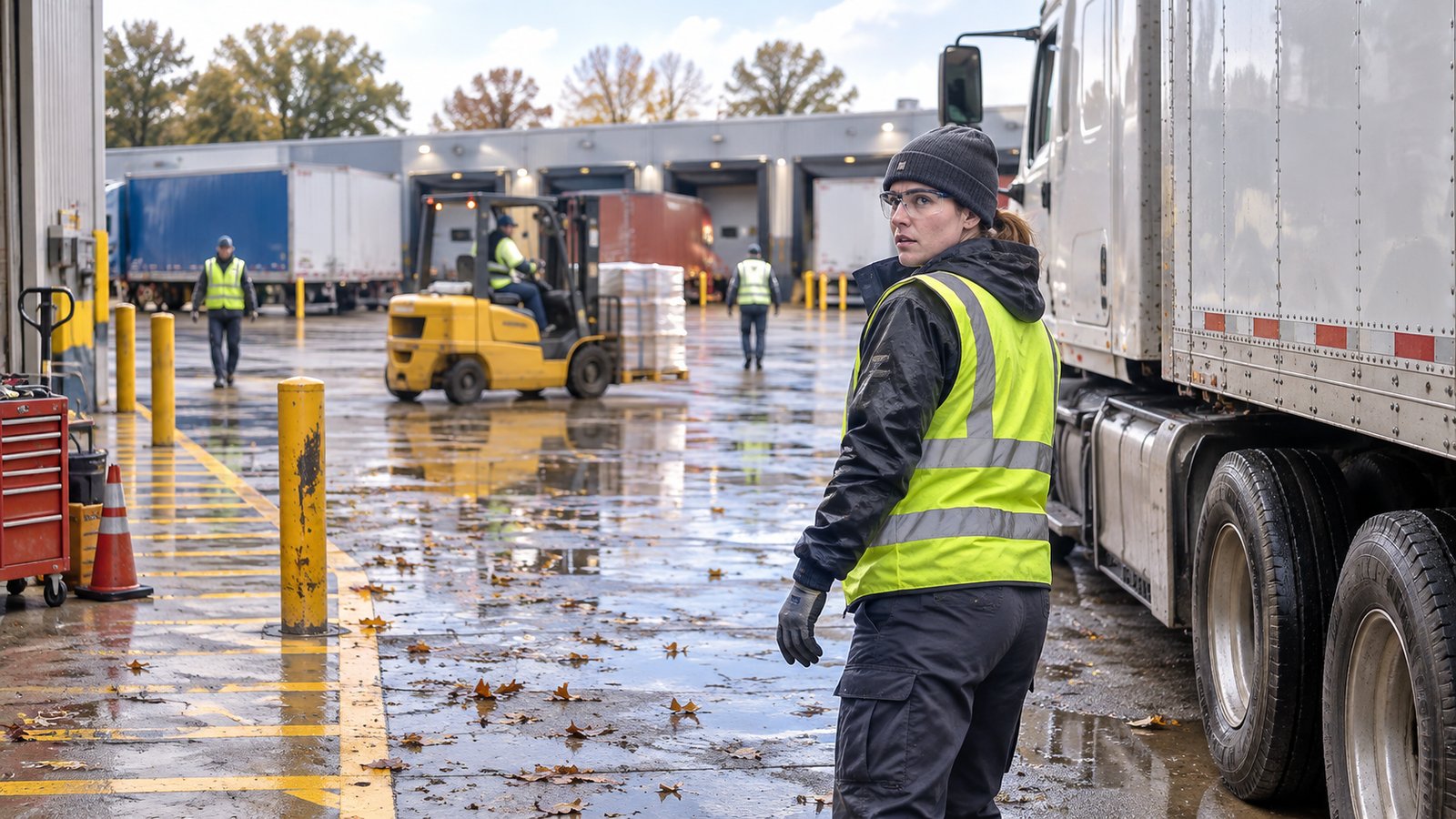
A loading dock can look clear when you pull in and change before you are ready to back up. A forklift crosses behind you, a pedestrian steps out from between trailers, or a bollard disappears from view as you turn.
Taking a moment to check your surroundings can help prevent injuries and damage to your truck, trailer, or the facility.
Use GOAL Before Backing Into a Loading Dock
GOAL stands for Get Out and Look. If you are unsure about clearance, obstacles, or traffic, stop, secure your vehicle according to your company’s procedures, and inspect the area on foot.
Use GOAL when backing into a dock, maneuvering in a tight space, or working with limited visibility. If conditions change during the maneuver, stop and check again.
Check Your Truck and Trailer’s Full Path
Look along the full path your truck and trailer will take. Bollards, dock doors, building corners, light poles, and fences can be difficult to see during a tight turn.
Check for parked trailers and vehicles, too. Pay attention to gaps between trailers and other areas where people or equipment could cross your path.
Stay Alert While Walking Around the Loading Dock
Follow the facility’s safety procedures and use designated pedestrian walkways. Watch for moving forklifts and other loading equipment, and keep your hands and feet clear of equipment.
Report damage as soon as you spot it. If a hazard prevents you from inspecting the area safely, stop and contact facility personnel for assistance.
Watch for Fall Slip and Trip Hazards
Wet leaves and standing water can make familiar routes slippery. Uneven pavement can create a trip hazard, especially when your attention is on nearby traffic or equipment.
Wear slip-resistant footwear, maintain three points of contact when entering or exiting your cab, and report hazardous walking conditions promptly.
Check Again Before You Back Up
Before you back into your next dock, take a fresh look at the space. If you cannot confirm that your path is clear, stop and use GOAL. Check again whenever conditions change.